The DB15 Game Port was one of the most classic input interfaces in PC and arcade control systems. Whether it was early flight joysticks, racing steering wheels, or analog input devices in industrial consoles, all relied on this type of interface for signal transmission. The DB15 Game Port extension cable played the role of a "bridge" in these systems—it not only extended the connection distance but also ensured the stable and accurate transmission of analog signals. This article will comprehensively analyze the structure, application scenarios, selection tips, and compatibility solutions of this extension cable, helping you better understand and use DB15 cables in retro games and modern control systems.
1. What is the DB15 game port joystick extension cable?
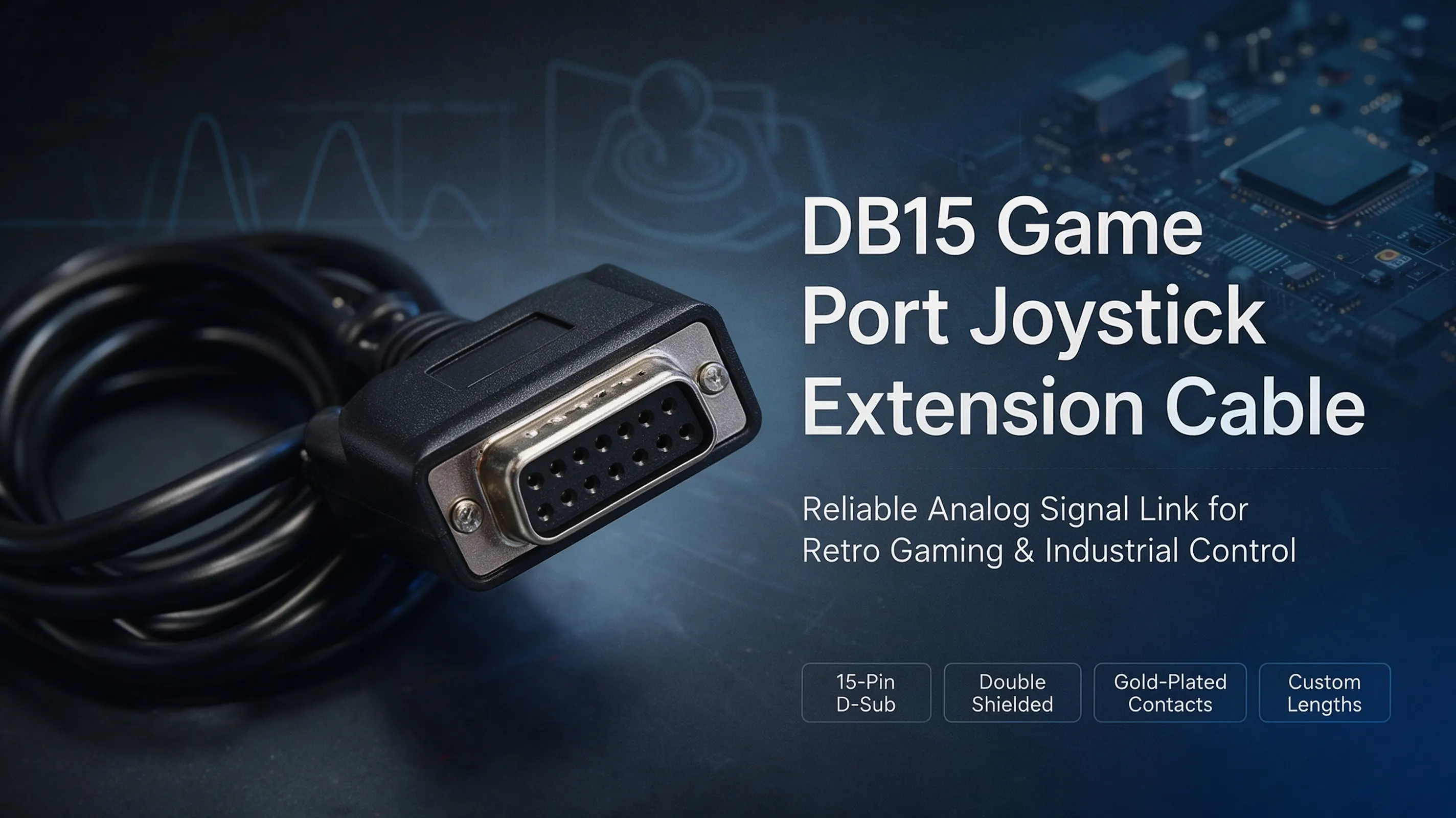
The DB15 Game Port Joystick Extension Cable is a connection cable used to extend the distance between a game controller and the console. It is commonly found in early PCs, arcade control systems, and industrial consoles. It typically uses a 15-pin D-Sub interface standard and has a D-shaped metal shell, hence the name "DB15". This interface is often used to transmit analog signals and button contact signals and is a representative of classic game port designs.
Premium DB15 cables prioritize reliability. Key attributes include:
- Core Features: Built to Last
- Double-shielded construction: Reduces EMI/RFI interference for precise signal fidelity.
- Gold-plated contacts: Ensure corrosion resistance and stable conductivity, even after 10,000+ insertions.
- Flexible PVC jacket: This withstands bending and abrasion in high-movement setups.
- Custom lengths (1ft to 15ft): Tailor cable reach for arcade rigs or sprawling control rooms.

2. DB15 Interface Structure and Signal Definitions
The pins of the DB15 interface are arranged in two rows. The common pin definitions are as follows:
| PIN | Function description | Signal type |
| 1-4 | X-axis, Y-axis, Z-axis, and R-axis analog signals | Analog input |
| 5-8 | Key signal input | Digital input |
| 9 | +5V power supply | Power output |
| 10-15 | Grounding and other control signals | GND/Control |
This design can support multiple analog axes and button signals simultaneously, and was therefore widely used in early game joysticks (such as Microsoft SideWinder, CH Flightstick, etc.).
3. Structural and Material Characteristics of Extension Cords
High-quality DB15 joystick extension cables typically have the following structure:
- Outer shielding layer: Utilizes a double-layer shielding system of aluminum foil and braiding to effectively resist electromagnetic interference (EMI);
- High-purity copper core conductor: Ensures low-loss signal transmission, reducing delay and distortion;
- PVC or TPE outer sheath: Abrasion-resistant and tensile-resistant, suitable for environments with frequent plugging/unplugging or ground cabling;
- Gold-plated pins: Improve contact performance and prevent oxidation;
- Locking screw structure: Ensures a stable connection even under vibration or movement.
These features not only extend the lifespan of the device but also ensure the accuracy and responsiveness of signal transmission during game operation.

4. Application Scenarios
Although the DB15 interface has been gradually replaced by USB, it still has important applications in the following areas:
- Retro game consoles: such as DOS-era PC game cards and older Sound Blaster sound card interfaces;
- Arcade consoles and MAME emulators: connecting homemade control panels via extension cables;
- Industrial control and robot control panels: the DB15 still serves as a reliable analog signal interface.
- Educational and electronic experimental projects: used for signal testing and DIY electronic controller development.

5. Selection and Usage Recommendations
When selecting a DB15 joystick extension cable, consider the following standards:
- Suitable Length: When the extension cable exceeds 3 meters, analog signal attenuation becomes significant; shielded cable is recommended.
- Interface Compatibility: Confirm that it is a standard DB15 male-to-female connector.
- Wire Diameter and Shielding: AWG 26–28 gauge is preferred; double-layer shielding provides the most effective protection.
- Soldering Process: Precision welding or injection molding of the terminals provides greater reliability.
- Brand Selection: It is recommended to choose a manufacturer with professional wire harness manufacturing experience (such as WIRE HARNESS ASSEMBLY).
Certifications & Standards
To meet global safety and environmental benchmarks, high-quality DB15 cables adhere to:
- RoHS & REACH compliance: Eliminates hazardous substances like lead and cadmium.
- UL certification: Guarantees fire-retardant insulation (rated 80°C).
- CE/EMC directives: Ensure electromagnetic compatibility in EU markets.
6. DB15 Extension Cable Compatibility Solutions with Modern Interfaces
Many modern consoles and computers have eliminated the DB15 port. Compatibility can be achieved through the following methods:
- Use a DB15 to USB adapter cable (with an independent chip supporting analog signal conversion);
- Use a USB game controller board (commonly used in homemade game pods or arcade consoles);
- For industrial equipment, communication can be extended using a DB15 to RS232/RS485 module.
These methods enable traditional joysticks to remain compatible with modern systems, blending nostalgia with practicality.
7. Frequently Asked Questions (FAQ)
Q1: Will an excessively long extension cable cause joystick lag?
A1: Yes. DB15 transmits analog signals, and cable lengths exceeding 3 meters will cause signal attenuation. It is recommended to use a highly shielded cable or install a signal amplifier.
Q2: Does it support dual joystick interfaces?
A2: Some extension cables can support dual-channel input through a splitter structure, but pin definitions must be confirmed to match.
Q3: Can I DIY the extension cable?
A3: Yes, but you need to accurately understand the DB15 pin definitions and shielding soldering process; otherwise, signal interference or button malfunction may occur.