Starlink delivers high-speed satellite internet to remote locations, RVs, and marine vessels. One of the most common causes of unstable outdoor connections is substandard Ethernet cabling. Standard indoor network cables degrade rapidly under UV radiation, rain erosion, and extreme temperature swings, resulting in signal loss, intermittent disconnections, and premature equipment failure. This technical guide clarifies real-world cable specifications, selection rules, standardized installation steps, fault diagnosis, and routine maintenance to help users deploy reliable Starlink outdoor connections.

1. Overview of Starlink Waterproof Ethernet Cables
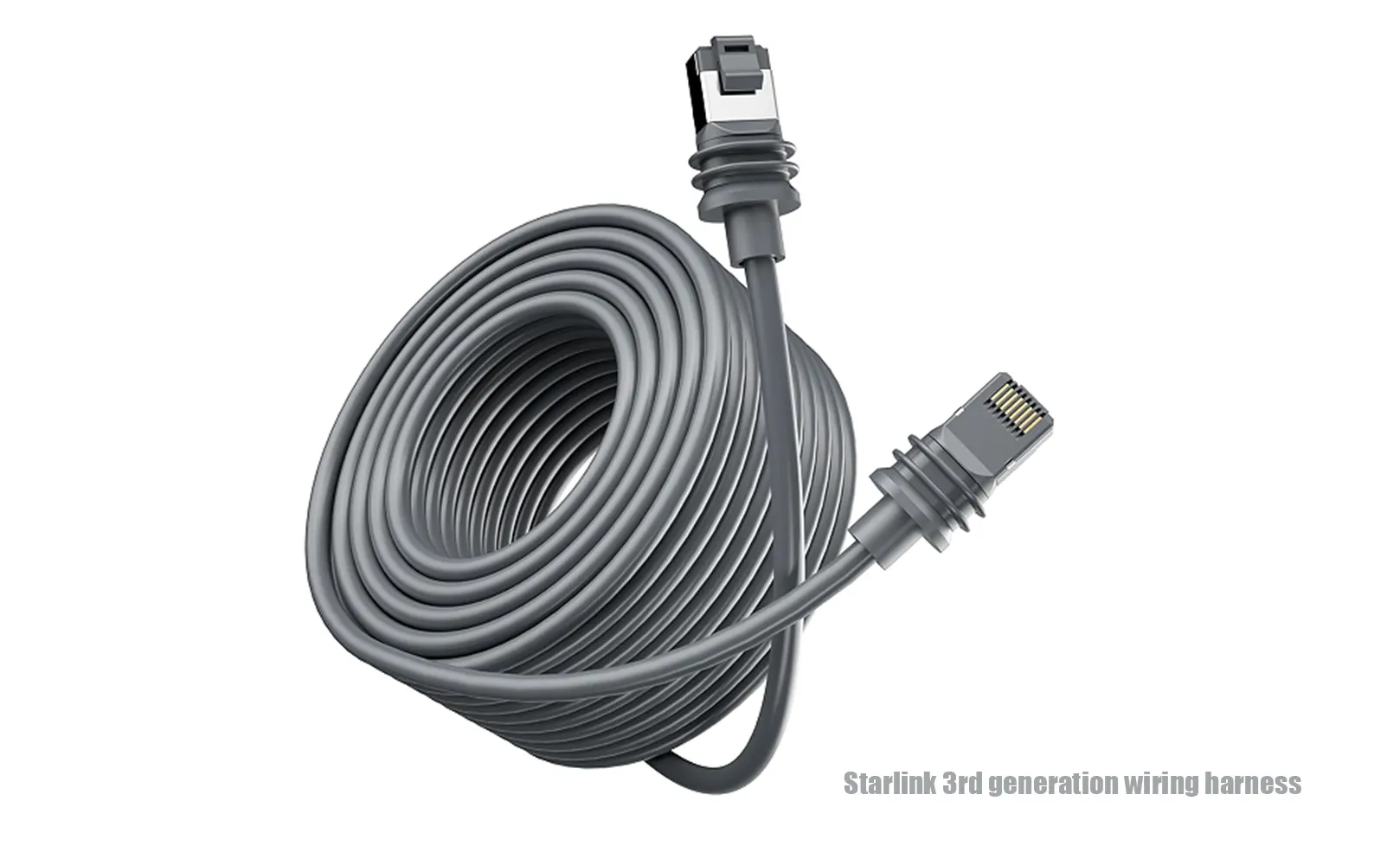
Starlink waterproof Ethernet cables are outdoor-rated, environment-resistant communication lines built for connection between satellite dishes and routers/PoE power modules. Different Starlink generations adopt distinct interface and sealing designs, leading to differentiated selection and installation standards. Unlike ordinary indoor cables, outdoor cables rely on professional sheath materials, multi-layer shielding and precision sealing to adapt to complex outdoor working conditions.
Key structural and performance characteristics are defined below:
-
Graded Waterproof Sealing: Cable waterproof capability depends entirely on fully mated and locked connectors, not the cable body. IP67 connectors resist temporary water exposure; IP68 connectors support continuous immersion per manufacturer-specified test conditions (unified standard: 1.5 m water depth for 30 minutes, or customized long-duration immersion certified by manufacturers). Users must verify official third-party test reports instead of assuming infinite submersion resistance. Cable sheaths only provide basic material-level moisture and UV protection, with no independent immersion waterproof capability.
-
Independent Waterproof and Signal Performance: Waterproof grade and signal attenuation are two independent technical indicators with no substitution relation. Measured data verifies that a high-grade IP68 cable with poor conductor specifications can suffer far more serious mid-distance signal attenuation than a well-made IP67 cable with qualified core parameters.
-
S/FTP Double Shielding & Practical Grounding Rules: Composite aluminum foil and braided mesh shielding suppresses external electromagnetic interference. Grounding operation is adjusted to fully operable scenario-based standards, avoiding impractical theoretical judgment: Most conventional rooftop Starlink installations share a unified power supply and grounding system with low potential difference risk, allowing flexible grounding. Mandatory single-end grounding for two high-risk scenarios: marine yacht deployment (Dishy mounted on masts, router placed in cabins with independent grounding systems) and ultra-long-distance outdoor wiring. This rule eliminates ground loop interference that causes high latency and packet loss, requiring no user judgment of potential difference.
-
Scenario-Based Conductor Material & Market-Aligned Wire Gauge: Pure copper conductors suit general outdoor deployment for higher conductivity. Tinned copper conductors are exclusively recommended for marine and high-salt-spray environments for enhanced corrosion resistance (with slightly lower conductivity than pure copper). For wire gauge selection, this guide distinguishes between market mainstream finished specifications and long-distance customized optimal specifications: Starlink Gen 3 third-party replacement cables on the market are universally 26AWG (verified for mainstream products from L-Com and Walmart), which is factory-matched for short-range conventional deployment. However, 26AWG thin-gauge wires have large DC resistance and cannot support long-distance or high-power PoE transmission. For field deployment over 23 m (industry conservative empirical threshold) or high-power operation, users should customize 23AWG/24AWG pure copper cables to reduce voltage drop. The previously referenced 30 m threshold is a general Ethernet experience value; Starlink high-power scenarios strictly follow the 23 m conservative limit for thin-gauge wiring.
-
Model-Specific Temperature Resistance: Sheath performance varies significantly by material. PUR sheaths support -40°C ~ +90°C for extreme cold scenarios. TPU sheaths typically range from -30°C ~ +90°C (performance varies by specific product model). Ordinary PE sheaths apply to mild climates with a stable range of -10°C ~ +70°C and suffer embrittlement in low-temperature environments.
2. Why Waterproof Cables Are Required for Outdoor Starlink Deployment
Starlink antennas are exposed to open-air environments for a long time. Ordinary indoor PVC cables lack UV resistance, waterproofing and aging resistance. After long-term outdoor use, two core faults will occur: UV radiation cracks cable sheaths and rainwater erodes unsealed joints to cause metal oxidation; unqualified thin-gauge cables produce excessive signal attenuation and voltage drop during long-distance transmission, resulting in unstable network and equipment power failure.
Professional waterproof cables effectively solve outdoor deployment pain points through targeted structural design:
-
Integrated waterproof and anti-oxidation structure avoids short-circuit faults caused by rain and snow immersion.
-
UV and thermal aging resistant sheath material adapts to seasonal temperature changes and long-term outdoor exposure.
-
High-purity copper core and shielding structure suppress signal attenuation and external interference for stable long-distance transmission.
3. Factory Harness vs IP68 Waterproof Harness: Performance Comparison
The following quantitative comparison clarifies the practical value of upgrading to IP68 waterproof cables, helping users make cost-effective deployment decisions for different scenarios:
|
Comparison Item
|
Standard Starlink Factory Harness
|
IP68 Waterproof Custom Harness
|
|
Protection Rating
|
Gen2 Original: IP67 proprietary connector structure, standard length ≈15 m; Gen3 Original: IP68 full waterproof rating (RJ45 port + customized silicone sealing boot, certified 1.5 m/30 min immersion resistance), standard length ≈15–18 m (region-dependent). Note: Original cables have fixed length, and aging sealing gaskets require regular replacement after long-term outdoor exposure
|
IP68 (full dust-proof, continuous immersion per manufacturer test standard)
|
|
Service Life
|
3–5 years (indoor or sheltered outdoor use)
|
10+ years (marine, snowy, coastal harsh environments)
|
|
Applicable Scenarios
|
Short-term outdoor placement, sheltered installation
|
Yachts, RVs, open rooftops, high-altitude and salt-spray areas
|
|
Customization
|
Fixed factory length, non-adjustable
|
Custom length, wire gauge, sheath and connector types
|
|
Cost Level
|
Low
|
Medium (moderate premium for waterproof and anti-aging processes)
|

4. Core Cable Parameters & Scenario Matching Rules
The following calibrated parameters apply to mainstream Starlink Gen2/Gen3/Mini models, correcting common industry misunderstandings and matching real deployment limits:
|
Core Parameter
|
Recommended Specification
|
Scenario Notes & Technical Correction
|
|
Interface Type
|
Gen2: Proprietary connector / Gen3: Sealed RJ45 / Router: Standard RJ45
|
Gen3 Dishy adopts recessed RJ45 socket with outer sealing grooves. Ordinary RJ45 plugs can be physically inserted; only plugs with matched sealing rings or original cables can achieve standard IP68 waterproof performance
|
|
Cable Grade
|
Cat6 / Cat6a Shielded Outdoor Cable
|
Outdoor mandatory shielding design. Cat6A is preferred for long-distance and high-interference scenarios with stricter twisting and shielding specifications for more stable PoE transmission; Cat6 fully meets short-distance (<45 m) conventional deployment requirements
|
|
Wire Gauge
|
26AWG (Gen3 original/third-party mainstream); 24AWG/23AWG (custom long/high-power)
|
26AWG applies to ≤23 m short-range conventional deployment; 24AWG/23AWG support longer high-power runs. The 30 m AWG threshold is a general Ethernet empirical value, not applicable to Starlink high-power scenarios
|
|
Shielding Structure
|
S/FTP Double Shielding (Grounded)
|
Mandatory single-end grounding for marine mast-mounted dishes and ultra-long-distance wiring; flexible grounding for conventional rooftop equal-potential systems
|
|
Protection Grade
|
IP67 (general outdoor) / IP68 (marine/buried)
|
Only fully locked mated connectors deliver rated protection; cable bodies have no independent immersion waterproof capability (detailed IP test standards refer to Section 1)
|
|
Operating Temperature
|
PUR: -40°C ~ +90°C / TPU: -30°C ~ +90°C / PE: -10°C ~ +70°C
|
Select PUR for extreme cold regions; PE only for mild urban outdoor environments
|
|
Max Wiring Distance
|
Signal theoretical limit: ≤100 m. PoE construction control standards (see Section 4.1 for detailed specifications and calibration)
|
|
4.1 Cable Length Limits & PoE Voltage Drop Calibration
Starlink adopts 41.1–57.0 V / 150 W non-standard passive PoE, with far stricter voltage drop requirements than conventional 802.3at/bt standard PoE. Field construction control rules are formulated based on mainstream market wire gauges and engineering test data:
-
26AWG (Gen3 mainstream finished cable): Maximum safe construction distance 23 m; long-distance use triggers severe voltage drop and power insufficiency
-
24AWG (general outdoor customized cable): Standard construction limit 50 m; Cat6A specification supports up to 90 m at 48 V and 100 m at 57 V (theoretical calculation value). Voltage drop verification is mandatory beyond 50 m for Starlink high-power loads
-
23AWG+ (long-distance customized cable): Maximum construction limit 80 m, optimal for high-power and ultra-long deployment
Core rule: All Starlink high-power wiring exceeding 50 m must be equipped with a 48 V boost DC-DC PoE injector (≥150 W, 300 W recommended for snow melting working conditions) to stabilize terminal voltage.
This section classifies and elaborates on practical cable selection rules, procurement traps and market price references for different Starlink deployment scenarios.
Many network stability issues stem from inferior or mismatched cables. This section summarizes practical selection standards, common shopping traps, and real market price ranges for user reference.
5.1 Core Selection Rules by Scenario
-
Protection Grade Matching: Choose IP67 for conventional rooftop outdoor deployment. Select IP68 for rainy-snowy regions, underground burial, and long-term marine use.
-
Material Adaptation: Pick TPU/PUR sheaths for cold resistance, wear resistance and salt spray resistance. Use economical PE sheaths only for mild urban outdoor environments.
-
Certification Compliance: Prioritize cables with professional industry certifications to meet outdoor, vehicle and marine safety standards.
5.2 Standard Certification Explanations
Ordinary users do not need to distinguish complex certification standards. For outdoor Starlink wiring, only core practical certifications are focused on, eliminating redundant identification costs: Outdoor dedicated cables must have UL 444 communication cable safety certification + CMX outdoor flame retardant grade. UL 13 power circuit standards, CE self-declaration and RoHS environmental compliance are auxiliary reference indicators and have no direct impact on outdoor deployment safety and stability.
-
UL Certification: Adopt UL 444 (communication cable safety) and UL 13 (limited-power circuit standard). Outdoor cables require CMX flame retardant grade; indoor vertical shaft deployment needs CMR grade.
-
CE / RoHS Compliance: CE marking is a manufacturer self-declaration for EU safety standards. RoHS indicates compliance with environmental protection directives with no harmful heavy substances.
-
ISO9001: Verifies standardized production quality control and stable batch consistency.
5.3 Common Procurement Pitfalls & Identification Methods
-
False IP68 Rating: Most marked IP68 products only have splash-proof connectors. Verify third-party test reports that clearly state mated-state testing, specific immersion depth and duration.
-
Fake Wire Gauge Labeling: Inferior cables falsely label 23/24AWG with thin cores, causing severe PoE voltage drop in long runs. Check core diameter and compare with standard gauge parameters.
-
Copper-Clad Aluminum Scam & Data-Based Identification: Under the same wire gauge, the DC resistance of copper-clad aluminum (CCA) is approximately 1.6 times that of pure copper. The more concealed market fraud is labeling CCA 26AWG as pure copper 24AWG, pushing actual resistance error above 2 times. Excess resistance causes severe voltage drop under Starlink 150 W high-power load, easily triggering equipment offline. Practical quantitative identification standards: Standard pure copper resistance reference – 24AWG ≈8.5 Ω/100 m, 26AWG ≈13.5 Ω/100 m. Measured resistance significantly higher than the standard value indicates CCA material or substandard wire diameter. Auxiliary identification: Scratch the core to expose silver aluminum base; CCA cables have lower overall density than pure copper cables.
-
False Low-Temperature Parameters: Ordinary PE cables falsely marked -40°C resistance crack in winter. Match sheath material with official temperature parameters strictly.
5.4 Real Market Cost Reference (Unit: USD/m)
-
Ordinary indoor unshielded cable: $0.3–0.5 (not for outdoor use)
-
IP67 outdoor shielded cable: $1.0–2.0 (conventional rooftop deployment)
-
IP68 TPU marine-grade cable: $3.0–6.0 (boats, coastal and extreme climates)
-
Custom high-precision harness: $8.0+ (ultra-long distance, special environment customization)
This section provides standardized step-by-step construction processes and complete inspection specifications to ensure long-term stable and waterproof operation of deployed cables.

6.1 Pre-Installation Preparation
-
Complete indoor networking tests to confirm normal operation of antennas and routers
-
Inspect cable sheath integrity and connector gasket completeness
-
Prepare UV-resistant clips, sealing rings and threading protection pipes
6.2 Wiring Route Planning
-
Avoid high-temperature radiation, sharp corners and long-term water accumulation areas
-
Use corrugated/PVC protective pipes for buried wiring to isolate wet soil and sharp stones
Control wiring distance per unified construction standards: 26AWG ≤23 m, 24AWG ≤50 m, 23AWG ≤80 m; verify voltage drop and deploy booster injectors for distances over 50 m
6.3 Connector Sealing & Fixed Installation
-
Install connectors facing downward to prevent rainwater accumulation and seepage
-
Fully tighten threads and install matched waterproof gaskets without gaps
-
Fix cables with UV-resistant clips to avoid loosening from long-term wind vibration
-
Maintain a bending radius over 4 times the cable diameter to protect internal core and shielding
6.4 Post-Installation Testing & Lightning Protection
-
Test network speed, signal stability and PoE power supply status after installation
-
Deploy professional PoE surge protectors in thunderstorm-prone areas
-
Control grounding resistance below 10 Ω with short and straight grounding wires
-
Focus on joint sealing inspection after heavy rain or strong wind
6.5 Full On-Site Installation Checklist
|
Stage
|
Inspection Items
|
Acceptance Standard
|
|
Pre-Installation
|
Cable sheath integrity, gasket completeness, certification verification
|
No damage, complete accessories, qualified parameters
|
|
Routing Construction
|
Wiring distance, bending radius, pipeline protection, fixed installation
|
Meet PoE distance limits, no sharp bends, firm fixation
|
|
Sealing Installation
|
Connector direction, gasket installation, thread locking
|
Interface downward, full sealing, no gaps
|
|
Post-Installation Test
|
Signal stability, PoE status, grounding & lightning protection
|
Smooth network, stable power supply, qualified grounding
|
7. Common Errors, Faults & Standard Solutions
Non-standard cable selection and construction are the main causes of Starlink network instability. The table below summarizes common field faults, corresponding risks and targeted solutions for quick troubleshooting.
|
Fault Phenomenon / Wrong Operation
|
Potential Risk
|
Solution
|
|
Using indoor cables for outdoor deployment
|
Sheath aging, water ingress, intermittent disconnection
|
Replace with IP67/IP68 outdoor shielded waterproof cable
|
|
Unsealed or loosely locked connectors
|
Joint water ingress, metal oxidation, short circuit
|
Install matched gaskets and fully lock connector threads
|
|
Long-term suspended cable exposure outdoors
|
UV aging, sheath cracking and breakage
|
Fix with UV-resistant clips to avoid direct sunlight exposure
|
|
Thin-gauge cable for long-distance PoE
|
Severe voltage drop, insufficient power, signal attenuation
|
Upgrade to matched-spec pure copper cables or deploy boost PoE injectors when 26AWG wiring exceeds 23 m or 24AWG wiring exceeds 50 m
|
|
Ungrounded or improperly grounded shielding
|
Electromagnetic interference, high latency and packet loss
|
Apply single-end grounding for marine mast-mounted dishes and ultra-long-distance wiring; flexible grounding is acceptable for conventional rooftop equal-potential systems
|
8. Classified FAQ: Selection, Installation, Maintenance & Troubleshooting
The following questions are summarized from a large number of user consultations and field deployment experiences, classified by actual usage scenarios for quick query and problem solving.
8.1 Cable Selection Questions
Q1: Can I cut and splice the original Starlink cable with ordinary Cat6 cable?
A: Not recommended. Original cables and connectors adopt integrated waterproof structures. Cutting and splicing destroys sealing performance, causing water ingress and signal distortion. Use formal IP68 waterproof adapters and shielded extension cables for lengthening.
Q2: Are factory original Starlink cables sufficient for long-term outdoor use?
A: Differentiated by device generation: Gen2 original cables feature IP67 proprietary connectors; Gen3 original cables adopt IP68-rated sealed RJ45 structures with customized silicone sealing boots. Note that official cables have fixed lengths, and aging sealing gaskets need regular replacement after long-term outdoor exposure.
Q3: Can a 50 m ordinary network cable work for temporary Starlink deployment?
A: It works temporarily but lacks UV and waterproof resistance. It will age and fail within months outdoors. Always use professional outdoor shielded waterproof cables for long-term deployment.
8.2 Installation & Compatibility Questions
Q4: Does Starlink support PoE power supply with waterproof cables?
A: Starlink adopts non-standard 48 V nominal passive PoE (operating voltage range: 41.1–57.0 V) with a maximum load of 150 W, which does not support standard 802.3af/at/bt PoE handshake detection. Ordinary standard PoE injectors cannot identify or power Starlink terminals. Users must deploy official power modules or dedicated 48 V boost PoE injectors (output power ≥150 W) for normal power supply.
Q5: Is self-assembly of waterproof Starlink cables recommended?
A: Technically feasible but not recommended for non-professionals. Self-made cables often have poor sealing and unstandardized grounding, leading to hidden faults. Finished customized cables ensure stable and standardized performance.
Q6: Can waterproof cables be directly buried underground?
A: No. PE/TPU waterproof cables must pass through protective corrugated or PVC pipes for buried deployment to avoid sheath damage from sharp stones and wet soil extrusion.
Q7: Will third-party waterproof cables affect Starlink device recognition or warranty?
A: There is no universal global conclusion. Starlink warranty policies vary significantly by region. In most regions, equipment body warranty does not cover damage caused by non-official accessories. Japanese official installation specifications clearly state that malfunctions or equipment damage induced by third-party cables will result in warranty invalidation. It is recommended that users check the local latest Starlink warranty terms before replacing third-party cables to avoid warranty risks.
8.3 Routine Maintenance & Preventive Cycle
Q8: What is the standard maintenance cycle for outdoor waterproof cables?
A: Check connector gaskets and sealing tightness every 3 months. Inspect sheath aging and cable fixation after heavy rain or strong wind. Test line resistance and signal attenuation professionally once a year.
Q9: How to judge cable aging and failure?
A: Visually check for sheath hardening, cracking, peeling and lost elasticity. Use a multimeter to test core resistance. Abnormal resistance increase and unstable signals indicate aging and require timely replacement.
8.4 Fault Troubleshooting Questions
Q10: Why is network unstable after rain, and how to distinguish water ingress from other faults?
A: Post-rain instability is mostly caused by connector water ingress or damp shielding layers. Troubleshoot in order: check connector sealing and water traces → test grounding status → exclude external electromagnetic interference. If the network recovers after drying joints, the fault is caused by water ingress.
Q11: What are the typical symptoms of insufficient PoE power supply?
A: Insufficient PoE power is the top cause of frequent dish offline and unstable network on long thin-gauge wiring. Starlink’s 150 W high-power load amplifies voltage drop significantly. 26AWG mainstream Gen3 cables produce excessive resistance loss beyond 23 m; even qualified 24/23AWG cables face voltage drop risks beyond 50 m. The root cause is mismatched wire gauge and excessive line resistance, rather than insufficient power supply itself. Long-distance deployment must upgrade wire gauge or add boost equipment.
9. Special Scenario Deployment Requirements
Marine, vehicle-mounted and ultra-long-distance scenarios have stricter requirements than conventional outdoor deployment, with targeted standards below:
9.1 Marine Yacht Deployment
Marine yacht deployment faces persistent salt spray, high humidity and structural vibration, with stricter anti-corrosion requirements than conventional outdoor scenarios. Cables must adopt tinned copper cores + TPU/PUR corrosion-resistant sheaths. Connector contact material is the core anti-corrosion guarantee: Gold-tin dissimilar metal matching produces a 0.65 V theoretical potential difference under standard conditions; this potential difference drives galvanic corrosion in salt spray environments, causing continuous elevation of contact resistance. Corrosion rate is further affected by ambient humidity, salt concentration, temperature and power-on status. Marine scenarios prioritize full gold-plated contacts to avoid mixed use of gold-plated and tin-plated interfaces and eliminate electrochemical corrosion risks. Daily maintenance includes regular salt cleaning of joints and quarterly gasket inspection.
9.2 RV & Vehicle-Mounted Deployment
RV and vehicle-mounted deployment requires resistance to vibration, oil pollution and extreme temperature changes. Flexible TPU sheath cables are prioritized for their bending and shock resistance. Wiring must avoid high-temperature engine compartments, with a safe avoidance distance of no less than 30 cm. Fixed installation must adopt special shockproof cable clips to eliminate cable fatigue damage caused by long-term driving vibration. Regularly check wire sheath wear and joint tightness during daily vehicle maintenance.
9.3 Ultra-Long Distance Deployment Solutions
Starlink high-power PoE requires terminal input voltage of 41.1–57.0 V. Off-grid 12 V/24 V battery systems cannot directly supply power and must adopt 48 V boost DC-DC converters. Supporting PoE injectors require rated output power ≥150 W; 300 W is recommended for snow melting low-temperature working conditions to avoid power shortage and voltage drop failure. For ultra-long transmission over 80 m, deploy industrial PoE amplifiers or fiber media converter sets to completely resolve copper cable attenuation limitations.
10. Custom Cable Solution
Standard finished cables cannot adapt to ultra-long-distance transmission, extreme temperature environments and marine anti-corrosion scenarios. Custom solutions support personalized adjustment of cable length, wire gauge, sheath material, IP rating and connector specifications. All customized products pass professional waterproof, tensile and aging tests to match differentiated Starlink deployment requirements.