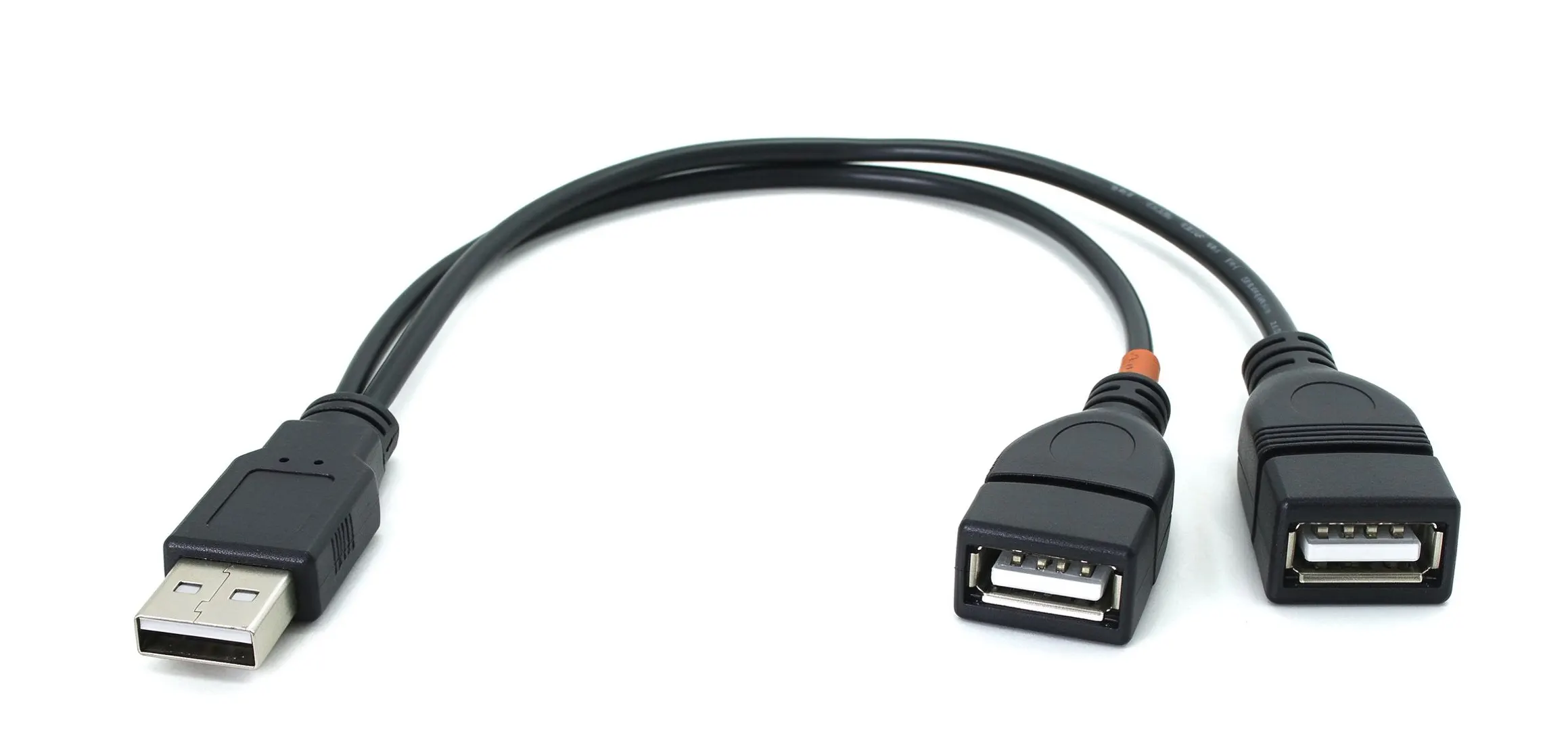
If you have a single spare USB port and two devices that both need it, a “USB splitter cable” often looks like the obvious answer. But the term “splitter” is used loosely, and what you actually buy may be a passive Y-cable or an active USB hub — two very different products. A passive cable that splits one connector into two does not automatically let one host port talk to two devices at once, and it does not add power.
This guide explains what each structure can and cannot do for data, power, and charging, and how to choose the right solution for your application.
What Is a USB Splitter Cable?
“Splitter” is a market term rather than a precise product category. It is often used to describe two distinct things: a passive cable that fans one connector into several, and an active USB hub that actually expands a single host port into multiple working ports. They are not interchangeable.
Passive USB Splitter Cables
A passive USB splitter is a cable assembly that branches one connection into two, without a USB hub controller. Its internal wiring depends on the intended application. It does not provide the device management needed to connect two independent USB data devices to one host port. Some specialized cable designs support specific power or signal-routing functions, but their compatibility must be verified for the intended system.
USB Hubs and Active Splitting
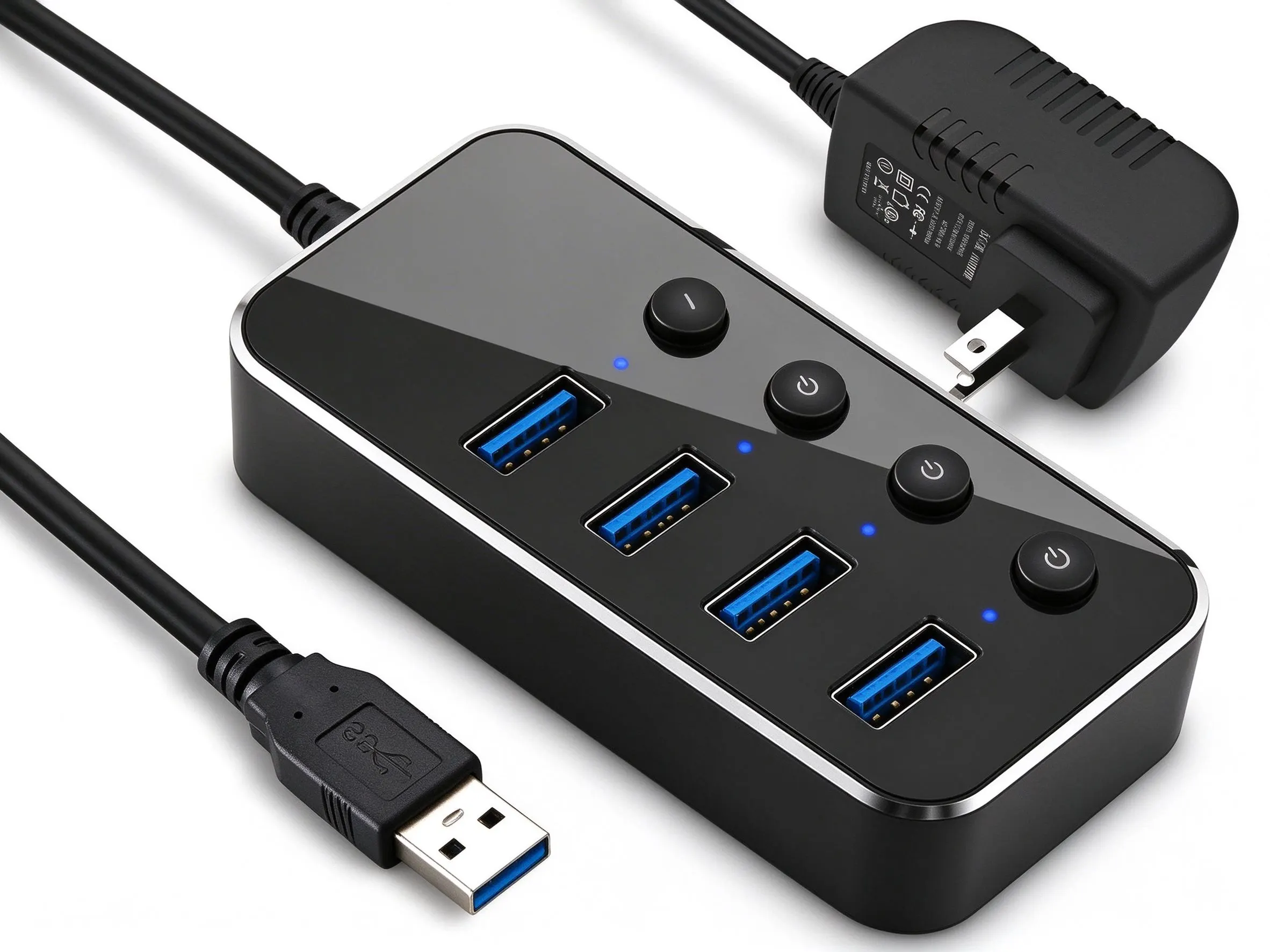
A USB hub is the active component that lets one host port serve several devices. Inside it, a hub controller handles device enumeration, addressing, and data routing, so each downstream device is managed individually. When people casually say “splitter,” they often mean a hub. The two are not equivalent: a hub adds function, while a passive cable only connects wires.
What Can a USB Splitter Cable Actually Do?
Whether a splitter works for you depends entirely on what it is designed to do. The fact that a cable has two output connectors tells you nothing by itself.
Splitting Power for Specific Applications
A passive splitter can be used where its wiring is built for the job — for example, feeding a shared power rail to two low-power loads in a fixed assembly. It works only because the source, the wiring, and the loads are matched. It never increases the available power; it only distributes what the source can supply.
Providing Multiple USB Connections Through a Hub
For real multi-device data connections, you need a hub. A bus-powered hub draws its power from the host port and shares that budget among downstream devices. A self-powered hub uses an external supply. Both rely on hub circuitry to route data and manage power to each device.
Supporting Charging and Data Through Different Paths
Some Y-cables are intentionally built to separate functions: one branch carries data to a host, while another draws power from a charger. These are legitimate products when designed for the correct pins and power paths. But the capability comes from the specific design, not from the fact that there are two connectors.
What a Passive USB Splitter Cannot Do
Create Two Independent Data Connections from One Host Port
A passive splitter cannot create the USB topology needed to connect two independent data devices to one host port. A USB hub provides the required hub controller and manages communication with multiple downstream devices. If two devices need to exchange USB data with the same host, use a compatible hub rather than a passive Y-cable.
Automatically Increase Available USB Power
A passive splitter does not increase the power available from its source. The connected devices draw current according to their needs and the circuit’s characteristics. If their combined demand exceeds the available supply or the cable’s rated capacity, the system may become unstable or fail to operate correctly. Check the source rating, cable limits, and device requirements before use.
Guarantee Fast Charging or Video Output
A USB-C connector alone does not guarantee a particular charging rate or video output. Fast charging depends on the charging protocol supported by the power source and the device, as well as the cable’s capabilities; USB Power Delivery is one such protocol. Video output also requires compatible host hardware, cable or adapter support, and a supported video mode such as DisplayPort Alternate Mode. A passive splitter cannot create these capabilities; it only passes through what the host, cable, and device support.
USB Splitter vs. USB Hub vs. USB-C Dock
These three options address different needs. Use the comparison below as a starting point, then confirm the exact specifications of the host port, the product, and the connected devices.
|
Solution
|
Data connection
|
Power supply
|
Best use
|
|---|---|---|---|
|
Passive USB Y-cable
|
Does not add independent data ports
|
Depends on wiring and power design; no added power
|
Specific, design-approved power or signal-routing jobs
|
|
Bus-powered USB hub
|
Manages multiple downstream devices via hub circuitry
|
Draws from host port; devices share the budget
|
Low-power peripherals with sufficient host power
|
|
Self-powered USB hub
|
Manages multiple downstream devices via hub circuitry
|
Uses an external power supply
|
Multiple devices or higher-power applications
|
|
USB-C dock
|
Depends on internal controller, ports, and host support
|
Depends on power design and USB PD support
|
Wide port expansion; video and extra functions only where the dock, host, and cable support them
|
Actual capability always depends on the hub’s specification, the host port, the connected devices, and the power conditions. As USB-IF’s cable and connector specifications emphasize, cable capabilities are not all the same — always verify real specifications instead of assuming from the connector shape.
How to Choose the Right USB Splitter Solution
Choose by your actual requirements, not by price or port count. Walk through these four checks before deciding.
Define the Number and Type of Connected Devices
Start with what the devices actually need: data, power, or both. If one device needs data while another needs power, do not assume a generic Y-cable can support both. Check the intended circuit, the power-source arrangement, and the device compatibility, and use a purpose-built cable only when its design is appropriate for the specific application and does not create an unintended connection between power sources. Two data devices require a hub.
Check Data Rate and Protocol Requirements
Confirm the USB version and speed the devices need — for example USB 2.0, USB 3.x, or newer. A hub or cable that only supports USB 2.0 will throttle USB 3.x devices. Select according to the required data rate and the connector type.
Calculate the Power Requirements
Add up the current each device draws and compare it with what the host port can supply. If the total exceeds the port budget, use a self-powered hub or a separate power path.
Confirm Connector, Cable Length, and Operating Environment
Check the connector types, the required cable length, and where the cable will run — especially temperature, flexing, and enclosure constraints in industrial or custom assemblies.
USB Splitter Cable Applications in Custom Assemblies
Custom wiring harnesses solve real layout problems that off-the-shelf cables cannot: placing connectors where devices sit, holding exact lengths, combining different connector types, and routing inside equipment. Depending on the design and the manufacturer’s capabilities, these assemblies can be built as passive power-distribution cables for a defined load, or — where the required design, verification, and manufacturing capability exists — as active components that integrate a hub controller for genuine multi-device data.
The key is to specify which structure you need. A custom cable does not turn one data port into two; if you need multi-device data, the design must include hub circuitry.
Frequently Asked Questions
Can one USB port connect two devices?
For data, not through a passive splitter — a host port manages one data link. Use a hub for multiple data devices. For power, a passive splitter can feed two low-power loads only if the design and the supply are matched.
Can a USB splitter charge two devices at once?
Only if the source can supply enough total current. A splitter divides available power; it does not add any. Check the port rating and the combined demand of the devices.
Does a USB-C splitter support data and video?
Not automatically. Data rate, power delivery, and video (such as DisplayPort Alternate Mode) each depend on support in the host, the cable, and the device. Always verify the real specifications.
When should I use a powered USB hub?
When multiple devices need data at the same time, or when the total power demand exceeds what a host port can supply. A self-powered hub brings its own supply.
Can a custom USB splitter cable be manufactured?
Yes. Custom assemblies can be produced as passive power-splitting cables, or as active hub-based components where the manufacturer has the required design, verification, and manufacturing capability, depending on your data, power, connector, and environment requirements.
Conclusion: Choose by Function, Not by Connector Count
A splitter’s value depends on what you need it to do. For matched, low-power sharing, a purpose-built passive cable may be enough. For multiple data devices, choose a hub. For fast charging or video, verify that the whole chain supports it. Choose by function — not by connector count.
For custom USB cable assemblies, tell your supplier your interface types, device functions, power requirements, data rate, and cable length. With that information, an experienced manufacturer can build the right passive or active solution for your application.